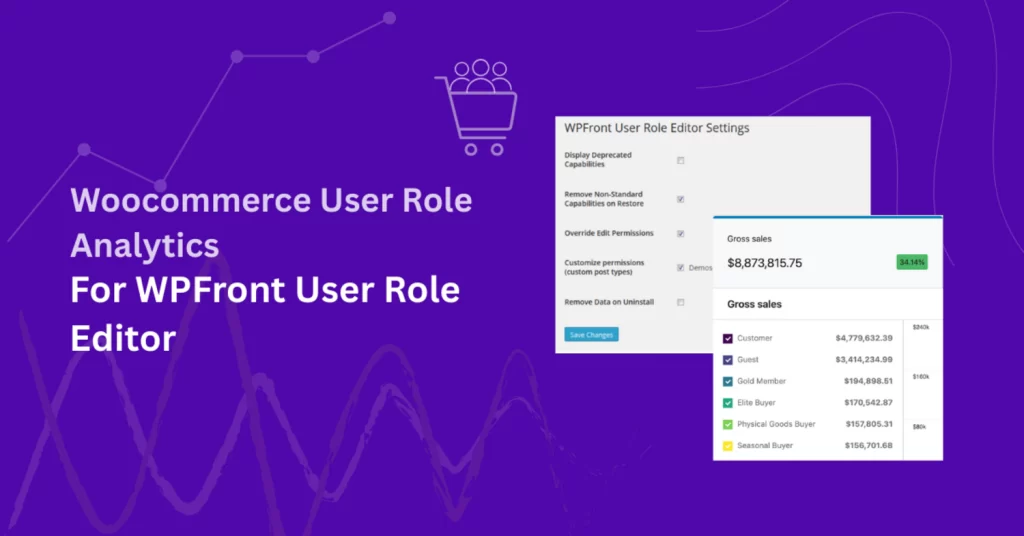
If you’re using the WPFront User Role Editor plugin to create and assign custom user roles in your WooCommerce store, you may also want to track how each of those roles performs in terms of sales, orders, and customer behavior.
That’s exactly what Role Based Analytics for WooCommerce provides. It extends WooCommerce Analytics by letting you filter and view reports based on user roles — including any custom roles created with WPFront User Role Editor.
There’s no special setup required. Once both plugins are active, Role Based Analytics for WooCommerce automatically detects and includes all existing WordPress roles in its reports — both default and custom.
Note: This article focuses on the integration between WPFront User Role Editor plugin and Role-Based Analytics for WooCommerce extention. However, Role-Based Analytics is designed to work with any plugin or extension that uses WordPress user roles — including membership, wholesale, and user-group-based solutions. If a plugin assigns roles to customers, those roles will automatically appear in your analytics reports.
Prerequisite: You must first purchase and activate Role-Based Analytics for WooCommerce (e.g. via WooCommerce.com) to enable these analytics features.
How WPFront User Role Editor Works with Role Based Analytics for WooCommerce
Both plugins are built on top of WordPress’s native user role system. This shared foundation ensures seamless compatibility. There’s no need for manual configuration — they work together out of the box.
What WPFront User Role Editor Does:
- Lets you create custom user roles (e.g., Wholesale, VIP, Staff, Affiliate)
- Allows you to assign and manage roles for users easily
- Provides capability management so you can define exactly what each role can do
- Uses the core WordPress user role system, meaning roles are recognized throughout WordPress and WooCommerce
What Role Based Analytics for WooCommerce Adds:
📖 You can also see How to Filter WooCommerce Sales Reports by User Roles: The Complete Step-by-Step Guide.
- Automatically detects all WordPress roles, including custom ones created with WPFront User Role Editor
- Adds a dedicated User Roles Report under Dashboard → Analytics
- Tracks key performance metrics by role: Orders, Gross Sales, Net Sales, Average Order Value (AOV)
- Introduces a special “Guest” role to track unregistered customers
- Extends other WooCommerce reports with role-based filters, including:
- Orders
- Products
- Categories
- Coupons
- Downloads
- Orders
Since both plugins use the same underlying WordPress role system, there’s nothing extra to configure. Any custom role you create with WPFront User Role Editor will automatically appear in Role Based Analytics for WooCommerce reports — ready to be tracked and analyzed.
Frequently Asked Questions
Yes. Role Based Analytics for WooCommerce adds user role filters to product reports. This makes it easy to see what Wholesale buyers, VIPs, or any other role created in WPFront User Role Editor are purchasing.
Yes. The User Roles report lets you view performance metrics side by side — for example, comparing revenue and order volume for Wholesale vs Retail roles over a chosen date range.
If a user is assigned more than one role, their order data will appear under each role individually. However, in combined totals, the data is only counted once — ensuring no duplicates, similar to WooCommerce’s product and category analytics.
Yes. You can export role-based reports to CSV format. This allows you to share insights with your team or analyze them further in tools like Excel or Google Sheets.
Yes. Role Based Analytics for WooCommerce introduces a Guest role to group all orders placed by unregistered users. This helps you measure the impact of guest checkouts on overall sales.
Yes. Any new role you create in WPFront User Role Editor is instantly recognized by Role Based Analytics for WooCommerce and added to your analytics dashboard without additional steps.